News — Season 19 — Artifact Grade Upgrade
Loading content...
Season 19 Part 2-32024-06-11
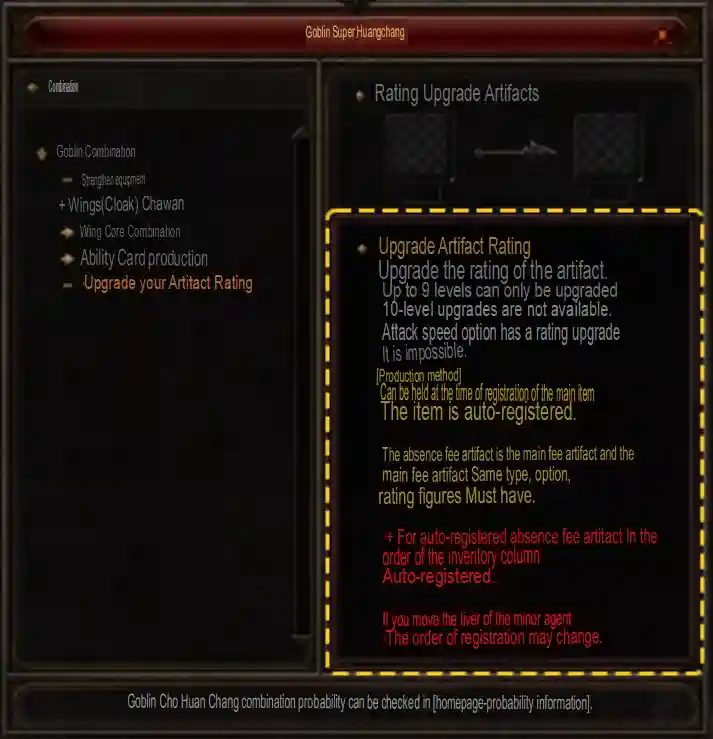
Grade refers to the initial option value determined when an artifact is created. It appears in square brackets next to the artifact option and is separate from the artifact's enhancement level.
Combine two artifacts with the same type, options, and grade through the Chaos Goblin in Noria. A successful combination increases the main artifact's grade by 1 while preserving its enhancement level. The secondary artifact can have a different enhancement level.
| Main Artifact | Secondary Artifact | Successful Result |
|---|---|---|
| +9 Artifact (Grade 1) | +1 Artifact (Grade 1) | +9 Artifact (Grade 2) |
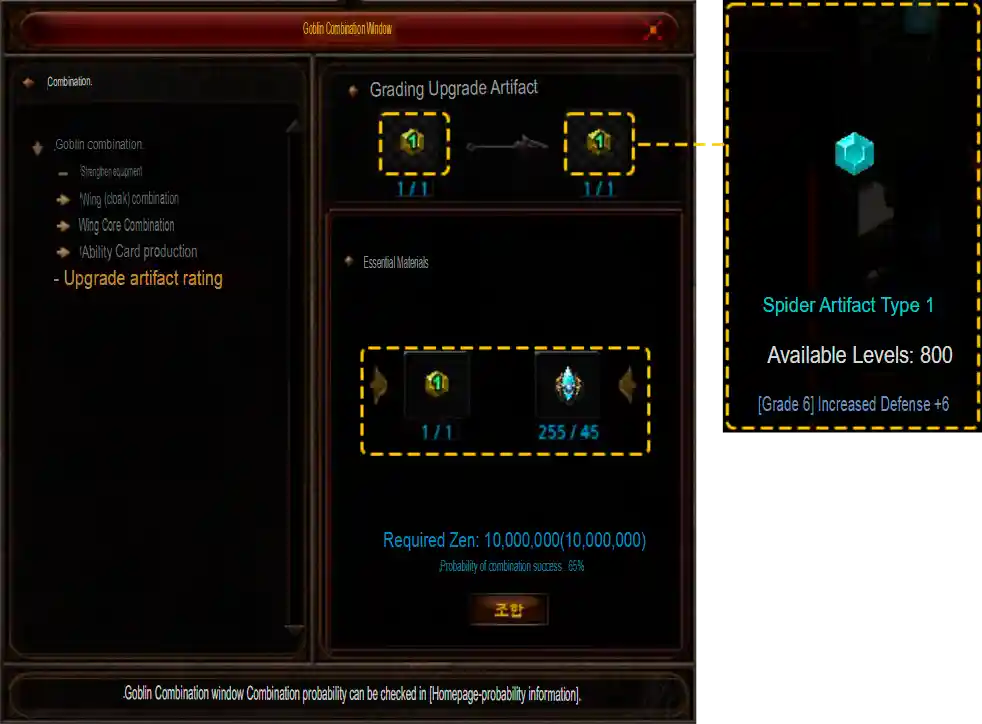
Every attempt requires a secondary artifact matching the main artifact's type, options, and grade, Artifact Enhancement Stones, and 10,000,000 Zen.
| Main Grade | Secondary Grade | Enhancement Stones | Zen | Success Rate | Result Grade |
|---|---|---|---|---|---|
| 1 | 1 | 20 | 10,000,000 | 90% | 2 |
| 2 | 2 | 25 | 10,000,000 | 85% | 3 |
| 3 | 3 | 30 | 10,000,000 | 80% | 4 |
| 4 | 4 | 35 | 10,000,000 | 75% | 5 |
| 5 | 5 | 40 | 10,000,000 | 70% | 6 |
| 6 | 6 | 45 | 10,000,000 | 65% | 7 |
| 7 | 7 | 50 | 10,000,000 | 60% | 8 |
| 8 | 8 | 55 | 10,000,000 | 40% | 9 |
Right-clicking the main artifact automatically registers the secondary artifact and enhancement stones. Secondary artifacts are selected in inventory slot order. If several identical artifacts are available, move them to different inventory slots to change which one is selected.
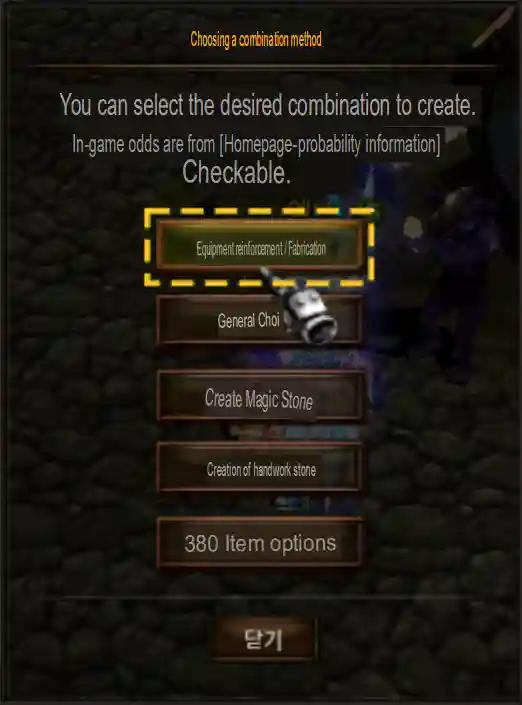
Visit the Chaos Goblin at Noria (108, 102) and select Equipment Enhancement/Crafting.
Choose Upgrade Artifact Grade in the Goblin Combination Window to view the combination description and guidance.
Registering the main artifact automatically fills the required materials from your inventory. The expected combination box shows detailed information about the artifact obtained on a successful upgrade.
The quantity and probability of Artifact Enhancement Stones received per clear have changed.
| Previously | Chance | Quantity |
|---|---|---|
| Artifact Enhancement Stone | 60% | 5 |
| Artifact Fragment | 40% | 1 |
| Updated | Chance | Quantity |
|---|---|---|
| Artifact Enhancement Stone | 20% | 4 |
| Artifact Enhancement Stone | 40% | 2 |
| Artifact Fragment | 40% | 1 |
The artifact creation combination uses an Artifact Fragment, 50 Jewels of Creation, and 10,000,000 Zen.
| Combination | Previously | Updated |
|---|---|---|
| Artifact Creation | 80% | 70% |
Inventory icons now use different colors to distinguish high-grade artifacts. The Attack Speed option of Type 4 artifacts uses its own grade ranges.
| Artifact Grade | Color |
|---|---|
| 1, 2, 3, 4, 5 |  |
| 6, 7, 8, 9 |  |
| 10 |  |
| Artifact Grade | Color |
|---|---|
| 1, 2 |  |
| 3, 4 |  |
| 5 |  |
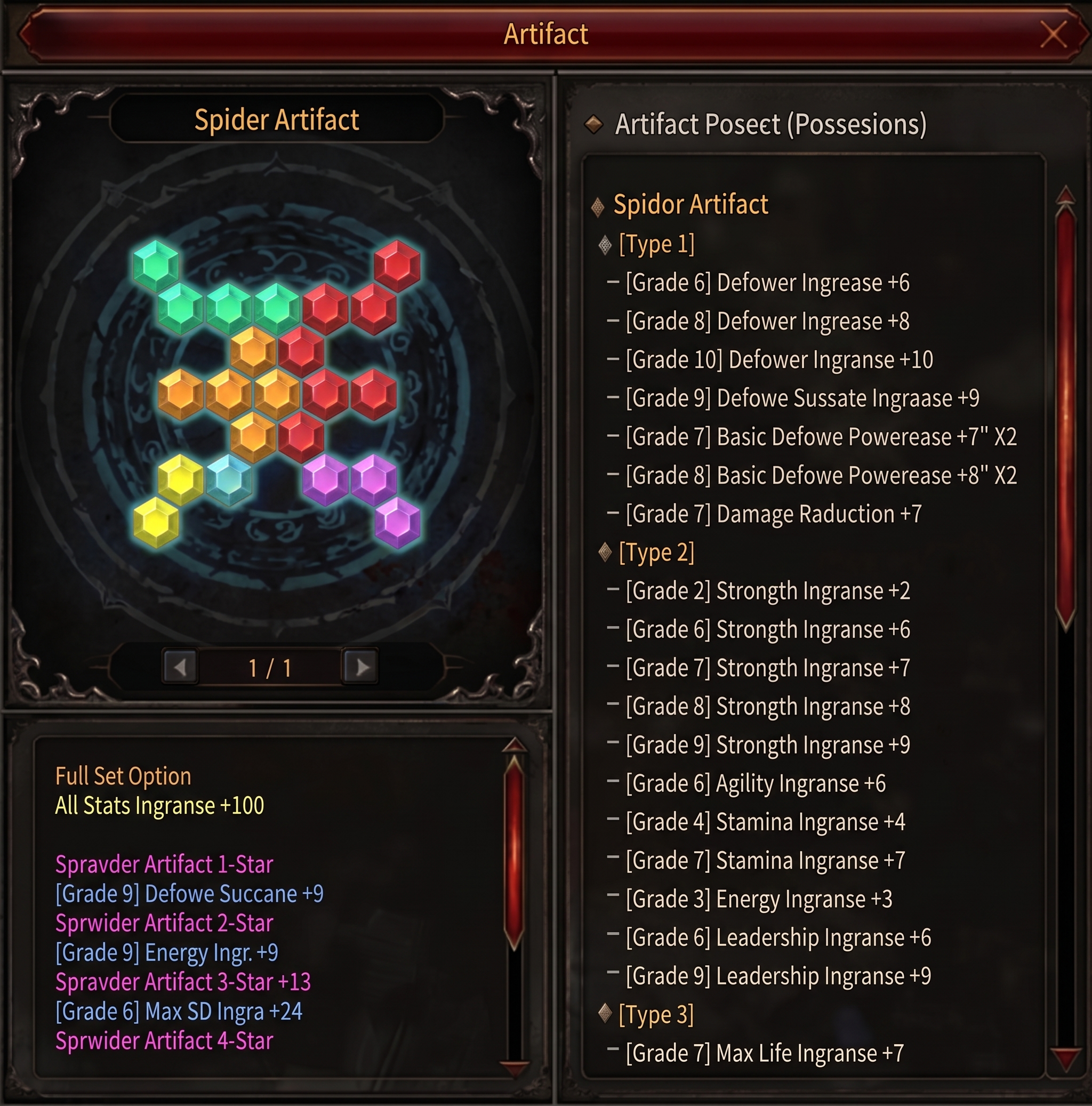
A new UI displays the status of artifacts held in your inventory. Open it using the expansion button in the Artifact UI window.