News — Season 19 — Improvement Of Ability Enhancement Core And Skill Card Conversion Combination
Loading content...
Season 19 Part 2-22024-05-14
Click an empty slot in the Ability Enhancement Core to display the Skill Cards you own that can be equipped there. Hover over a card to see its tooltip, then click it to equip it in the selected slot.
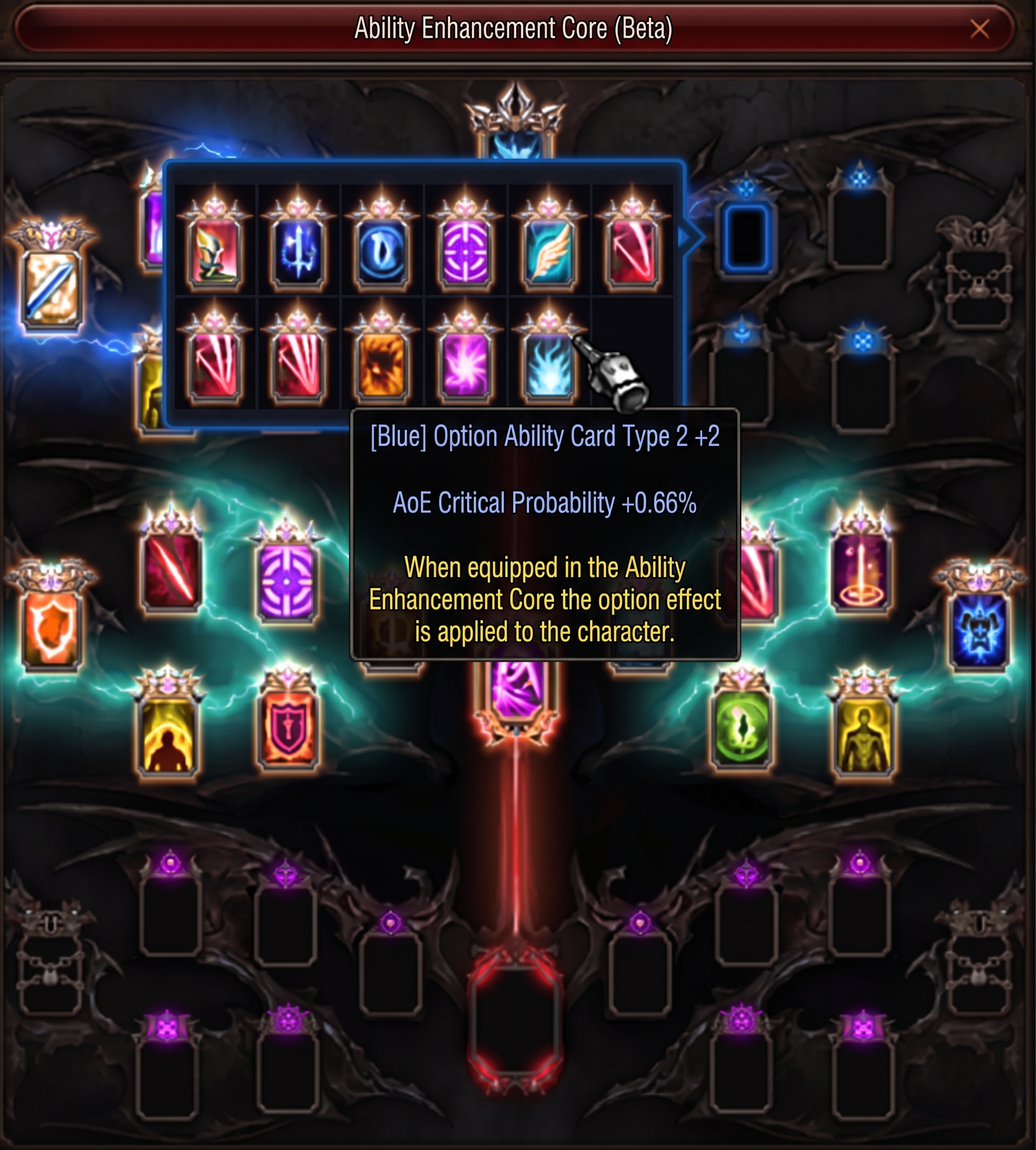
Connection lines have been improved according to the position of installed option cards. The connected lines become more prominent as more cards are installed.
The Ability Card Book now includes a View as List button. Clicking it displays your cards in a list and changes the button to View as a Book, allowing you to switch back.
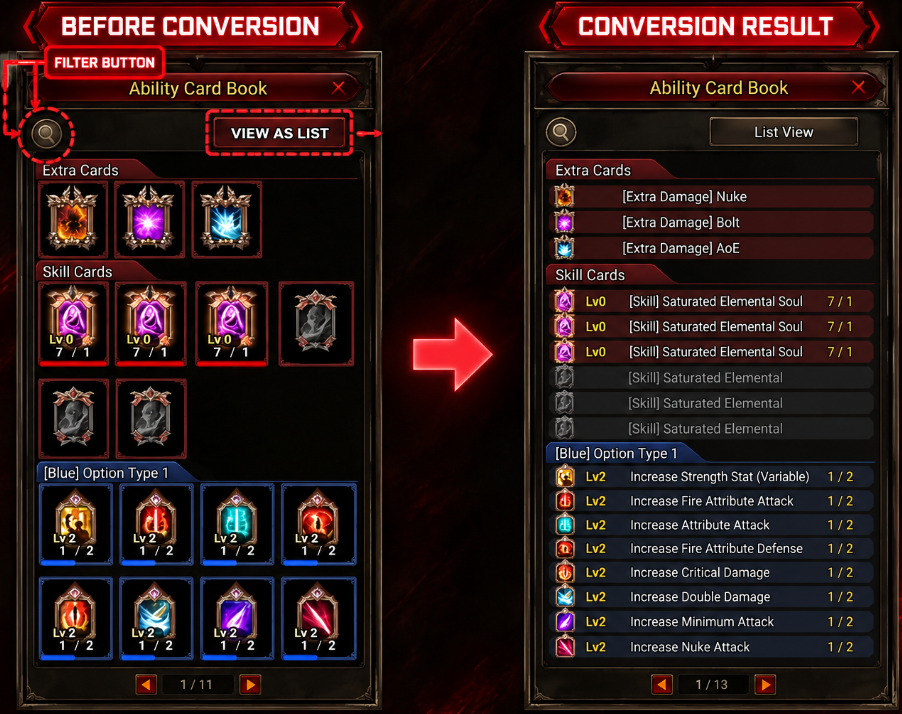
The filter button design has been changed.
Skill Card conversion lets you change cards to support a different character development direction. Right-click the Skill Card you want to convert in the Ability Card Book to open the conversion interface.
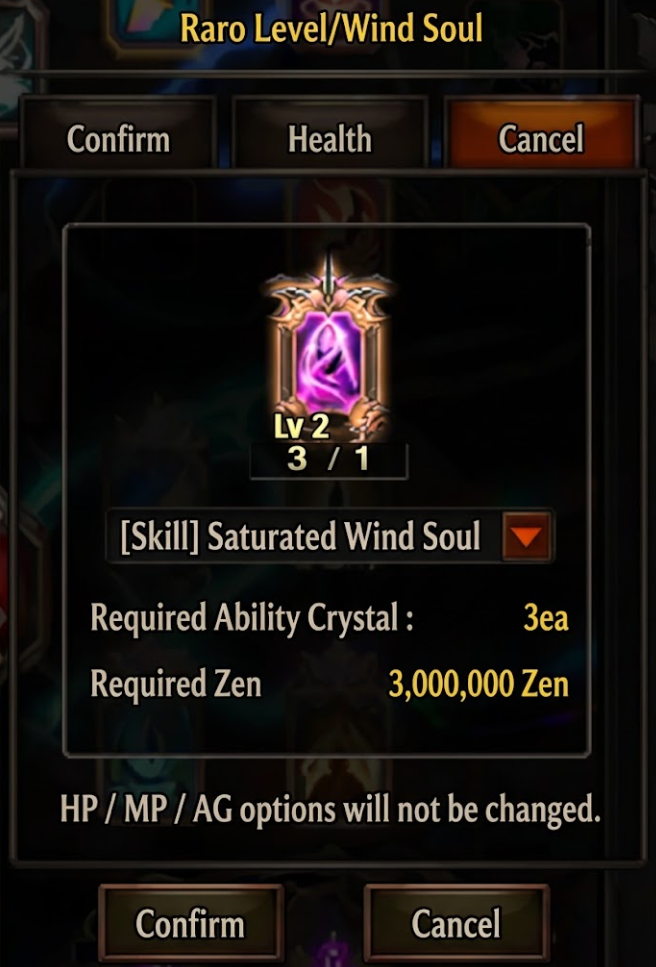
A Level 0 target Skill Card is created from the total converted quantity. The remaining cards are credited as stacks of that card.
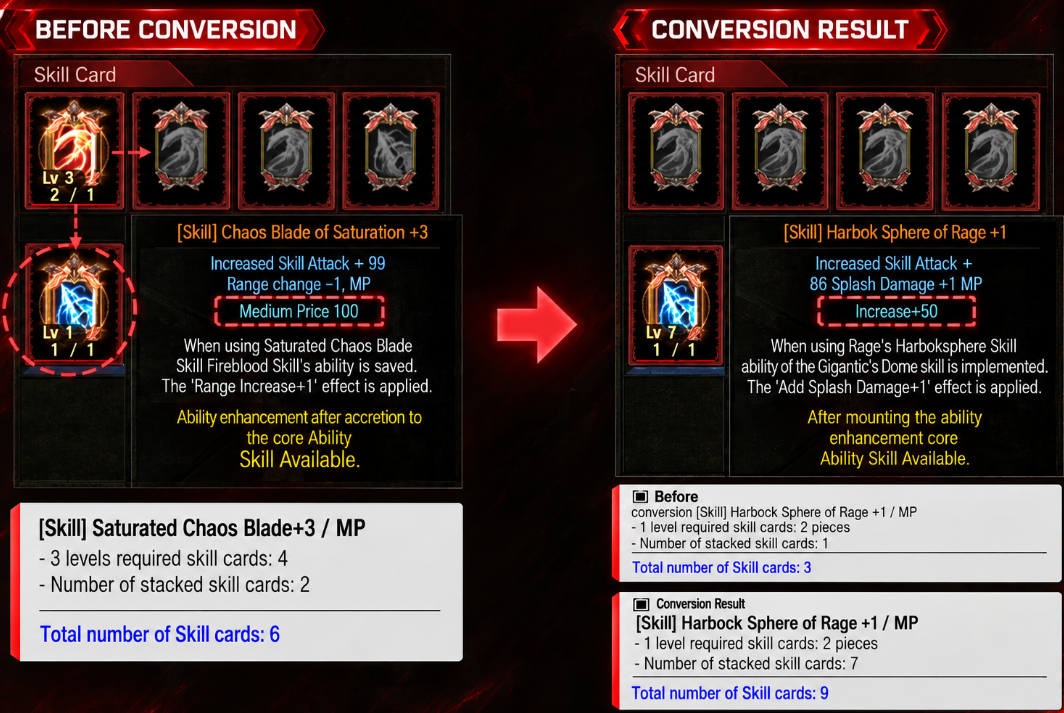
Example: A +3 source card represents 4 cards used for its level, plus 2 stacked cards: 6 in total. Conversion creates a Level 0 target card using 1 card, with the remaining 5 credited as stacks. The HP option type is preserved.
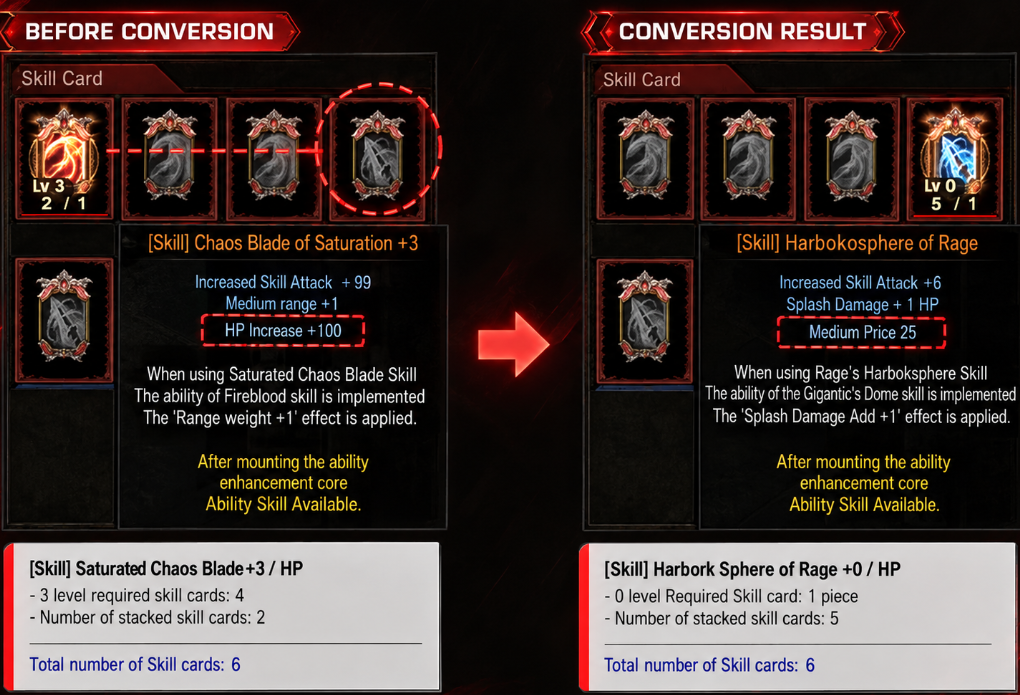
The full converted quantity is added to the stacks of the target Skill Card you already own.
Example: The source +3 card represents 6 cards in total. Your existing +1 target card represents 2 cards used for its level and 1 stacked card, totaling 3. After conversion, the target remains +1 with 7 stacked cards, totaling 9. The MP option type is preserved.
| Converted Quantity | Ability Crystal | Zen |
|---|---|---|
| 1 Skill Card | 1 | 1,000,000 |
Material priority: (Bound) Ability Crystals are used first. If you do not have enough, regular Ability Crystals cover the remaining requirement.